 Old Phone Cam
A home security camera without a subscription
Yes. An old Android phone with Security Camera: Old Phone gives you live view and motion alerts on your home Wi-Fi for free, with no subscription and no account. If you want to watch from anywhere, Premium is optional and is also sold as a one-time lifetime purchase.
▶ Get it on Google Play Free download · Android 8.0 or newer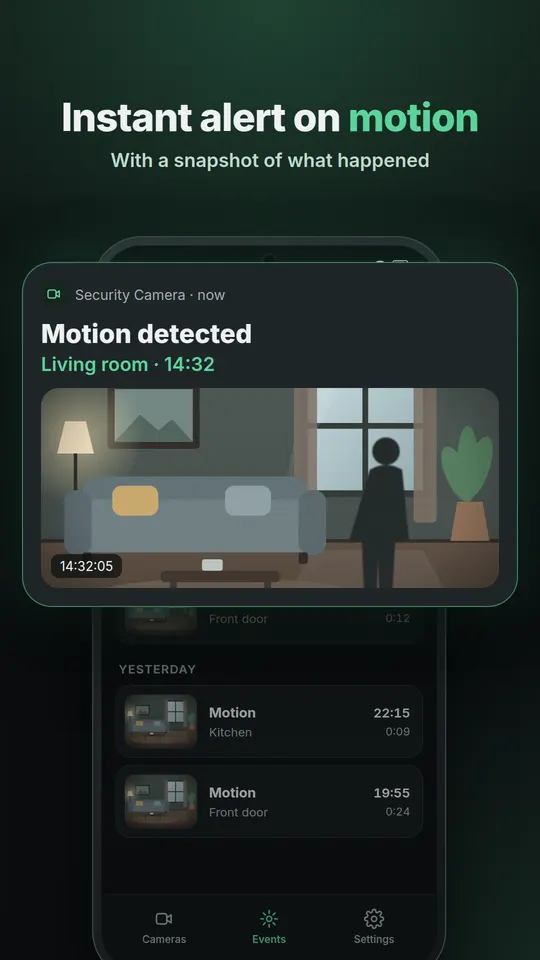
How to set up a camera with no monthly fee
- Find a spare Android phoneAny phone with Android 8.0 or newer and a working camera. A cracked screen doesn’t matter.
- Install the free appInstall Security Camera: Old Phone on the spare phone and on your own phone. No account, no card.
- Pair on your home Wi-FiChoose As a camera on the spare phone, As a viewer on yours, and scan the QR code.
- Turn on motion alertsEnable Motion detection. Every event saves a snapshot to the Events list, kept for 24 hours on the free plan.
- Decide later whether you need moreIf you find you want to check in from work, try Premium’s yearly plan with a 3-day free trial, or buy lifetime once.
What’s free and what Premium adds
The free version is not a time-limited trial. It covers one camera with live view and motion alerts while your viewer is on the same Wi-Fi as the camera, snapshots for each motion event, 24 hours of event history, snapshots to your gallery, the flashlight and front/back camera switch. Ads appear in the viewer only.
Premium adds:
- live view and motion alerts away from home, including in a browser
- remote access for up to 10 cameras (unlimited on your home Wi-Fi)
- 30 days of event history
- 10-second motion clips saved on the camera phone
- a software low-light mode
- no ads
You can pay monthly, yearly (with a 3-day free trial) or once for lifetime access. We don’t list prices here because they vary by country; Google Play shows yours.
Which security cameras don’t require a subscription?
Plenty of cameras work without a plan, but the details are in the small print. In general, cameras that save to a memory card or a recorder in your home tend to work without a subscription, while cloud-first cameras often keep longer video history, smart alerts or downloads behind a monthly plan. Before buying, check which features stay free and whether the camera needs the maker’s account.
An old phone sidesteps most of that. There is no cloud to rent: our app never stores video on a server, and motion snapshots and Premium clips stay on the camera phone. The flip side is that if someone takes the phone, its events go with it. If off-site backup is important to you, a cloud plan is the honest answer: as of November 2026, AlfredCamera Premium and AtHome both sell cloud event storage, and many camera makers do too.
Old phone vs. buying a no-subscription camera
An old phone wins on cost (you already own it), privacy (no account) and setup time. A purpose-built camera wins on mounting, outdoor use, sound and infrared night vision, none of which our app provides.
For indoors, such as an apartment, a hallway, the room your pets stay in or a vacation home with Wi-Fi, the phone is usually enough. For a porch, driveway or garden, buy a weatherproof camera; a phone isn’t built for rain, frost or summer sun.
A common middle ground is to start with the old phone. Use it for a few weeks on the free plan and see what you actually check and when. If you find you mostly look from the couch, you never needed a subscription. If you keep wishing you could check from work, Premium or a dedicated camera is the next step, and you will know which features matter to you. Comparing apps rather than hardware? See the old phone camera app comparison.
Free vs. Premium
| Free | Premium | |
|---|---|---|
| Live view on home Wi-Fi | Yes | Yes |
| Motion alerts | Home Wi-Fi | Home Wi-Fi and away from home |
| Cameras | 1 | Unlimited on home Wi-Fi; up to 10 remote |
| Event history | 24 hours | 30 days |
| 10-second motion clips | No | Yes, on the camera phone |
| Low-light mode (software) | No | Yes |
| Ads | In the viewer | None |
| How you pay | Nothing | Monthly, yearly (3-day trial) or one-time lifetime |
Frequently asked questions
What security cameras don’t require a subscription?
Cameras that store video locally usually don’t, and neither does an old phone running our app on home Wi-Fi. Always check which features a camera locks behind its plan before buying.
Is there a security camera app with no subscription?
Yes. Ours is free on home Wi-Fi, and its Premium is also available as a one-time lifetime purchase instead of a monthly or yearly plan.
Do I need Premium to get motion alerts?
No. Motion alerts are free while your phone is on the same Wi-Fi as the camera. Premium adds alerts when you are away from home.
Where are my recordings saved without a subscription?
On the camera phone. Each motion event saves a snapshot there; Premium adds 10-second clips. Video is never stored on a server.
Can I cancel Premium?
Yes, monthly and yearly plans can be cancelled anytime in Google Play. After it ends, remote viewing turns off and the camera keeps working on your home Wi-Fi.
Your old Android phone can watch your home tonight: install the app, scan one QR code, plug it in.
▶ Get it on Google PlayLast updated: