 Old Phone Cam
Which app should you use to turn an old phone into a security camera?
There is no single winner; as of November 2026, the right app depends on what you need. AlfredCamera suits people who want an iPhone as the camera, two-way talk and cloud storage. IP Webcam suits tinkerers on a local network. Security Camera: Old Phone (ours) suits people who want no account, no cloud and simple QR pairing.
▶ Get it on Google Play Free download · Android 8.0 or newer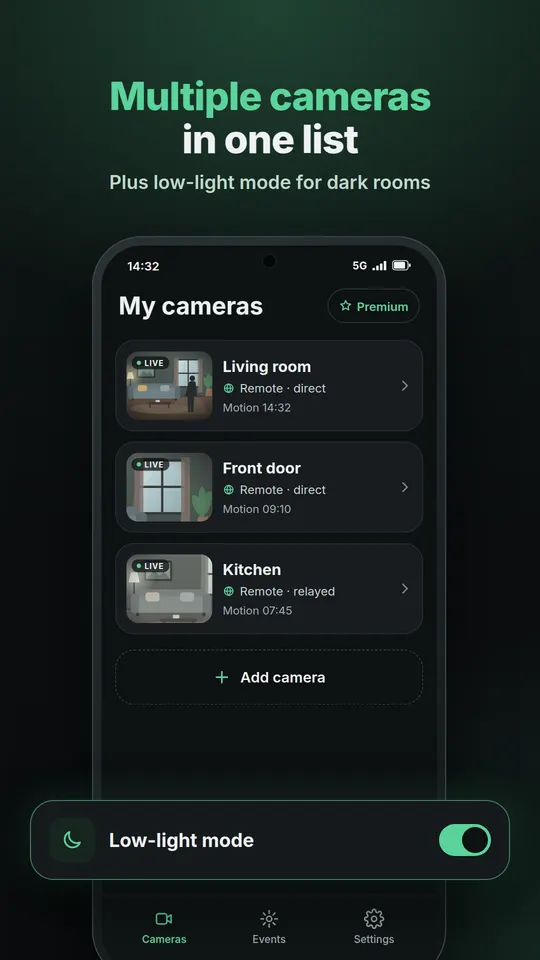
How to choose the right camera app in five questions
- Which phone will be the camera?If the spare phone is an iPhone, look at AlfredCamera, which runs as a camera on iOS 12+. Ours needs an Android phone (8.0+) as the camera, and IP Webcam is an Android app. Details as of November 2026.
- Do you want to hear the room?As of November 2026, AlfredCamera and AtHome list two-way talk, and IP Webcam streams audio. Ours has no microphone access at all, which some people prefer and others find limiting.
- Are you OK with an account?As of November 2026, AlfredCamera requires sign-in (Google, email or Apple) and the AtHome viewer needs a login. Ours has no account at all.
- Do you want recordings in the cloud?As of November 2026, AlfredCamera Premium and AtHome’s paid cloud plans store events in the cloud, and IP Webcam offers optional Ivideon cloud broadcasting. Ours keeps everything on the camera phone and never stores video on a server.
- Where will you watch from?For viewing away from home, check what each app’s free plan allows. In ours, home Wi-Fi is free and away-from-home viewing needs Premium.
Security Camera: Old Phone (ours)
We make this app, so read this part with that in mind. It is built for one job: making an old Android phone a home camera with as little setup as possible. You install it, choose “As a camera”, and pair a viewer by QR code, 6-digit code or a share link. There is no account.
Free gives you one camera with live view and motion alerts on your home Wi-Fi and 24 hours of events; ads appear in the viewer only. Premium (monthly, yearly with a 3-day free trial, or a one-time lifetime purchase) adds viewing and alerts away from home, up to 10 remote cameras, 30 days of event history, 10-second motion clips saved on the camera phone, a software low-light mode and no ads.
What it doesn’t do: sound, two-way talk, night vision, person detection, cloud recording or continuous recording. If any of those is a must, one of the apps below fits better.
AlfredCamera
AlfredCamera (Alfred Systems Inc.) is one of the most widely used apps in this space, with more than 50 million downloads on Google Play. The details below are as of November 2026. One app runs on both Android and iOS, so an old iPhone (iOS 12+) or Android phone (5.0+) can be the camera, and you can also watch in its WebViewer in Chrome, Edge or Safari on a computer. You sign in with a Google, email or Apple account.
The free plan allows up to two active cameras at basic resolution, one viewer at a time and motion-only detection and alerts, with ads. Events are stored on the camera phone, but accounts created since 28 November 2023 need Premium to watch them back in the app (live view and motion alerts stay free, and events can still be downloaded). Premium Standard adds up to four active cameras, HD, 14 days of cloud event storage, person, vehicle and pet detection and no ads; Premium Plus allows unlimited cameras, Full HD and 30 days of cloud storage. US prices start at $5.99 a month or about $36 a year. Alfred also has push-to-talk.
Choose it if you want an iPhone as the camera, two-way talk or cloud backups of events. Our AlfredCamera alternative page compares it with ours in detail.
AtHome Camera and IP Webcam
As of November 2026:
AtHome (by ichano) uses two apps: AtHome Video Streamer on the camera device and AtHome Camera to watch, on Android, iOS and Windows. The viewer needs a sign-up, and you add cameras by connection ID (CID) or QR code. The viewer app contains ads and in-app purchases. Paid options in the US App Store include 7-, 15- and 30-day cloud services (the 7-day plan is $4.99 a month), a separate “Smart Cloud” service and ad removal for $1.99. Its listing mentions two-way talk, an “Enhanced Night Vision” mode, AI-based human detection and up to four cameras on one screen.
IP Webcam (Thyoni Tech) is an Android app that streams video inside your Wi-Fi network to a web browser or VLC, even without internet access, with optional Ivideon cloud broadcasting. It streams audio and can detect sound. The free Lite version shows ads and puts a watermark on recorded videos; a paid Pro version costs $4.99 in the US. It suits people who like configuring things themselves, while ours focuses on simple pairing and remote viewing through the app.
Old phone security camera apps compared
| Security Camera: Old Phone | AlfredCamera | AtHome Camera | IP Webcam | |
|---|---|---|---|---|
| Camera device | Android 8.0+ | Android 5.0+, iOS 12+ | AtHome Video Streamer (Android, iOS, Windows) | Android |
| Watch on | Android app or any browser | Android/iOS app, WebViewer | AtHome Camera app (Android, iOS, Windows) | Browser or VLC (local network) |
| Account | No | Yes | Yes (viewer) | Not stated |
| Free cameras | 1 | 2 | Not documented | Not stated |
| Sound / two-way talk | No | Yes (Talk) | Two-way talk | Audio streaming |
| Cloud recording | No (on the phone) | Premium | Paid plans | Optional via Ivideon |
| Ads in free version | Viewer only | Yes | Yes | Yes, plus watermark |
| Paid options | Monthly, yearly (3-day trial), lifetime | From $5.99/month | Cloud from $4.99/month; ad removal $1.99 | Pro version ($4.99) |
Competitor details as of November 2026, US prices (local prices may differ), taken from the companies’ own plan pages and store listings. Plans change; check the store before you buy.
Frequently asked questions
What is the best free app to turn an old phone into a security camera?
For one Android camera on home Wi-Fi without an account, ours is free. As of November 2026, AlfredCamera’s free plan allows up to two active cameras and works with an iPhone as the camera, and IP Webcam’s free Lite version streams inside your Wi-Fi network.
Which app works with an old iPhone as the camera?
As of November 2026, AlfredCamera runs as a camera on iOS 12+, and AtHome also has iOS apps. Ours needs an Android phone as the camera, although an iPhone can watch through the browser.
Which camera app has no subscription?
Ours offers a one-time lifetime Premium besides monthly and yearly plans, and its free plan has no time limit. As of November 2026, IP Webcam also sells a Pro version ($4.99 in the US). See cameras without a subscription.
Do these apps upload my video?
As of November 2026, AlfredCamera Premium and AtHome’s paid cloud plans store events in the cloud. Ours never stores video on a server; live video is end-to-end encrypted and events stay on the camera phone.
Can I use an old phone with Home Assistant?
Our app does not integrate with Home Assistant. As of November 2026, IP Webcam streams inside your Wi-Fi network to a browser or VLC, which some people prefer for their own setups.
Your old Android phone can watch your home tonight: install the app, scan one QR code, plug it in.
▶ Get it on Google PlayLast updated: