 Old Phone Cam
Using an old phone as a video baby monitor
Yes, an old Android phone can work as a video baby monitor: install Security Camera: Old Phone, point it at the crib from across the room and watch the live picture on your own phone or in a browser. It shows video only, with no sound, so you see the room but won’t hear it. On the same Wi-Fi it is free; watching away from home needs Premium.
▶ Get it on Google Play Free download · Android 8.0 or newer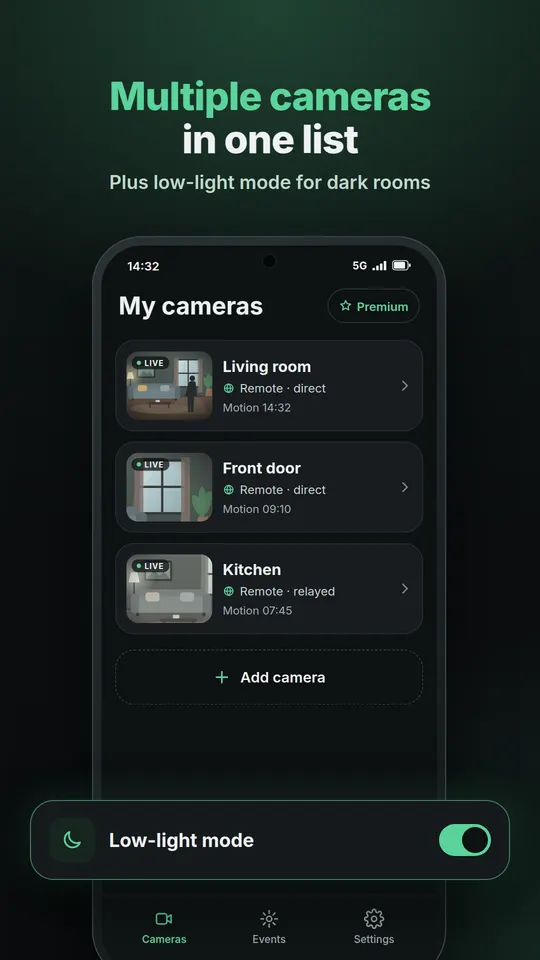
Important: Security Camera: Old Phone is not a medical device and does not replace adult supervision. It transmits video only, with no sound.
How to set up an old phone as a baby monitor
- Install the app on both phonesInstall Security Camera: Old Phone on the old Android phone (8.0 or newer) and on your own Android phone. No account is needed.
- Start the cameraOn the old phone choose As a camera and name it “Nursery” so alerts are easy to recognize.
- Place it out of reachPut the phone on a shelf or dresser across the room, angled toward the crib, with the cable well out of reach. Never attach the phone or cable to the crib.
- Pair your phoneOn your phone choose As a viewer and scan the QR code. A partner with an iPhone can scan it with the iPhone camera to watch in Safari.
- Dim the screen and plug it inTap Dim screen so the phone doesn’t light up the room, and keep it on the charger. The camera keeps running; tap to wake.
- Test it before you count on itCheck the live picture from the kitchen and your bedroom, and try it once with the lights low.
What an old-phone baby monitor does, and what it doesn’t
Our app turns the old phone into a video camera you watch from another phone or a browser. In the nursery that means:
- Live video on your Android phone, or in Safari, Chrome or another browser on an iPhone, iPad or laptop
- Motion alerts with a snapshot, at three sensitivity levels, plus an Events list (24 hours free, 30 days with Premium)
- Two phones, free on the same Wi-Fi, with no account and no subscription
The limits are just as important:
- No sound. It sends video only, so you won’t hear crying or fussing. If you want to hear the room, use an audio baby monitor alongside it.
- No infrared night vision. In a fully dark room the picture is black.
- It depends on Wi-Fi and the phone. A router restart, a dropped connection or Android stopping the app means no picture until it reconnects.
- Away from home needs Premium, and internet on both phones.
Used with those limits in mind, it is a handy way to glance at whether your toddler is still asleep or climbing out of bed, or to peek before you open the door.
Making the picture useful at night
Most nurseries are dark at night, which is exactly when phone cameras struggle. A dim nightlight or a lamp turned low makes the biggest difference. With Premium, the Low-light mode brightens the picture in software, which helps in a dim room but can’t create an image from total darkness; it is not night vision.
Place the camera across the room from the crib, slightly above it, so you see the whole bed. Use Dim screen on the camera phone so its display doesn’t glow. For motion alerts, start with Low sensitivity; on High, the light change from a door opening may trigger an alert.
On the free plan you can watch from anywhere in the house on your home Wi-Fi. Watching from the garden next door or the office needs Premium; see remote viewing.
Practical tips for a phone baby monitor
- Keep it charging. A phone running a camera all night needs the charger; see our 24/7 battery guide.
- Watch the temperature. Take the case off and keep the phone away from blankets and direct sun. The app warns you if the phone overheats or the battery runs low.
- Check the battery optimisation hint. If Android stops the app in the background, the camera goes offline. The app shows a banner when this setting is on.
- Tell caregivers. Let babysitters and relatives know there’s a camera in the room. The camera phone shows a notification and a LIVE indicator while it runs.
- Share carefully. If grandparents want to see the baby, send a share link; it expires after 7 days, and you can remove it anytime in Settings › Connected devices.
Old phone + this app vs. a dedicated baby monitor
| Old phone + this app | Dedicated baby monitor | |
|---|---|---|
| Live video | Yes | Video models |
| Sound / hear crying | No | Yes |
| Infrared night vision | No (software low-light mode with Premium) | Many video models |
| Watch on your phone or a browser | Yes | Depends on the model |
| Cost | Free on the same Wi-Fi, phone you already own | Price of the device |
General comparison; check the specifications of any monitor you buy.
Frequently asked questions
Can I use an old phone as a baby monitor?
Yes, as a video baby monitor. Our app shows a live picture of the room and sends motion alerts, but it has no sound, so pair it with an audio monitor if you want to hear your baby.
Is there a baby monitor app that works with 2 phones for free?
Our app connects two phones for free on the same Wi-Fi, with no account. It is video only; watching from outside the home needs Premium.
Can I watch the baby monitor on an iPhone?
Yes, in Safari. Scan the QR code on the camera phone with the iPhone camera, or open the share link. The camera itself must be an Android phone.
Does the phone baby monitor work without Wi-Fi?
No. Both phones need a Wi-Fi network, and for watching away from home, internet on both ends plus Premium.
Will the phone get hot in the nursery overnight?
A phone that runs a camera on the charger gets warm. Take the case off, keep it out of the sun and away from blankets; the app warns you if it gets too warm.
Your old Android phone can watch your home tonight: install the app, scan one QR code, plug it in.
▶ Get it on Google PlayLast updated: