 Old Phone Cam
Keeping an old phone running 24/7 as a camera
Keep it plugged in, set the app’s battery use to Unrestricted so Android doesn’t stop it, and keep the phone cool. Those three things solve almost every case of a camera that goes offline overnight. Check the old battery for swelling before you start.
▶ Get it on Google Play Free download · Android 8.0 or newer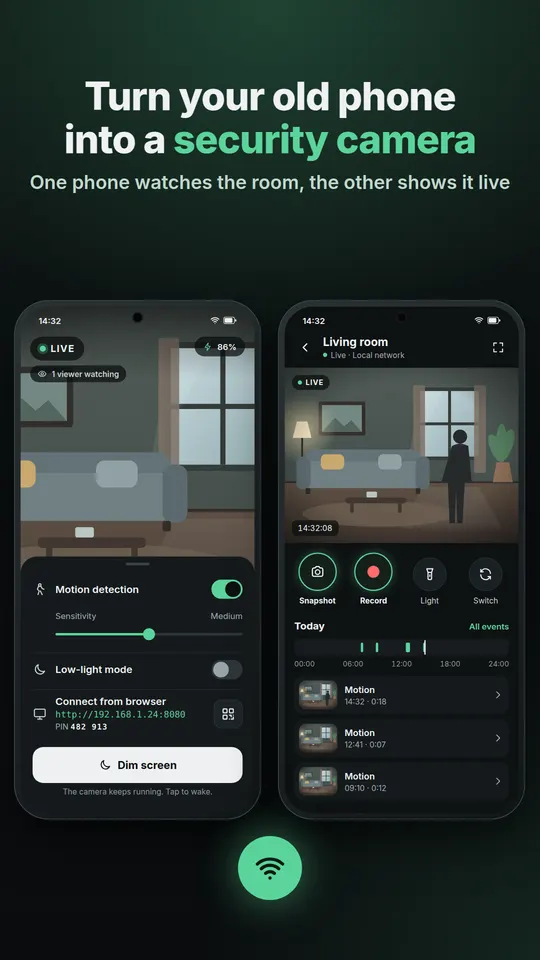
How to prepare an old phone for running all day
- Inspect the batteryIf the back bulges, the screen lifts or the phone rocks on a table, the battery is swollen. Don’t use that phone as a camera.
- Use a decent charger and cableA standard wall charger is plenty. A cable long enough to reach without tension saves the port.
- Set battery use to UnrestrictedTap Turn off battery optimisation in the app’s checklist and choose Battery › Unrestricted. Samsung: Settings › Apps › Security Camera › Battery › Unrestricted.
- Take the case offCases trap heat. A bare phone standing upright in a holder stays noticeably cooler.
- Dim the screenTap Dim screen on the camera phone. The camera keeps running and the phone produces less heat.
Battery optimisation: why cameras stop overnight
Android tries to save power by pausing apps that run in the background. For a camera that’s exactly the wrong behavior. Some brands are especially aggressive, Samsung in particular, along with Xiaomi, Huawei, OnePlus and others.
Security Camera: Old Phone helps in two places. The “Before you leave it” checklist after pairing has a Turn off battery optimisation item, and the camera screen shows a banner (“Battery optimisation is on: the camera may stop in the background. Tap to fix.”) when the setting is still on. Tap it, choose Unrestricted, and you’re done.
On Samsung, also check that the app isn’t in “Sleeping apps” or “Deep sleeping apps” in the battery settings. If your phone has a separate “auto-start” or “background activity” switch, allow it for the app.
Heat, charging and old batteries
Running the camera and the charger at the same time warms a phone up. A little warmth is normal; a hot phone isn’t good for the battery. The app warns you with “Phone is getting warm. Take off the case or move it out of the sun.” and with “Not charging” if the cable comes loose.
- Keep it out of sunlight and off radiators, TVs and router tops.
- Stand it upright so air reaches the back.
- Many recent phones have a battery protection option that stops charging at about 80–85%. If yours has one, turn it on for a phone that lives on the charger.
- Check the phone every few weeks. Swelling, a lifting screen or unusual heat means unplug it and retire it.
A worn battery is fine for this job as long as it isn’t swollen, because the phone runs from the charger.
Power cuts and restarts
If the power goes out, the phone keeps running on its battery for a while, and the Wi-Fi router usually doesn’t, so the camera goes offline anyway. When the power comes back, give the router a minute to reconnect.
If the phone itself restarted, open the app and start the camera again; the viewer shows it as online once it’s back. Before a trip, test a restart once so you know what to expect. More fixes for cameras that drop off: camera offline or not connecting.
Android system updates can also restart a phone overnight. On an old phone that no longer gets updates this rarely happens, but if yours still does, check the camera the morning after an update. A phone that keeps restarting on its own, even on the charger, often has a battery or power problem and is better retired.
Warnings on the camera phone and what to do
| Message | Meaning | What to do |
|---|---|---|
| Battery optimisation is on | Android may stop the camera in the background | Tap it and choose Battery › Unrestricted |
| Not charging | The charger is unplugged or loose | Plug it in; check the cable and outlet |
| Warm | The phone is getting hot | Remove the case, move it out of the sun |
| Camera stopped | The camera isn’t running | Tap Start camera |
Frequently asked questions
Can I leave an old phone plugged in 24/7?
Yes, that’s how it’s meant to run. Keep it cool, use the phone’s battery protection setting if it has one, and check every few weeks that the battery isn’t swelling.
How do I stop Samsung from closing the camera app?
Go to Settings › Apps › Security Camera › Battery and choose Unrestricted. Also make sure the app isn’t in Sleeping apps.
How long does the camera run on battery alone?
It depends on the phone and battery age. Running a camera uses a lot of power, so treat battery as backup only and keep it on the charger.
Does dimming the screen stop the camera?
No. “Dim screen” only darkens the display. The camera and motion detection keep running; tap to wake it.
Is it safe to use a phone with an old battery?
If the battery isn’t swollen and the phone doesn’t get unusually hot, yes. If you see bulging, stop using it and recycle it properly.
Your old Android phone can watch your home tonight: install the app, scan one QR code, plug it in.
▶ Get it on Google PlayLast updated: